Modern lighting control systems are becoming increasingly sophisticated.
A single commercial building can contain thousands of connected devices, from DALI drivers and emergency fittings to sensors, switches, relays and application controllers. Across a large campus or multi-site property portfolio, that complexity grows exponentially.
The challenge is no longer simply controlling the lights.
It is maintaining visibility across the entire system. Commissioning and reconfiguring devices efficiently. Keeping settings consistent between floors, tenancies and buildings. Giving the right people access to the right areas. And ensuring every change is controlled, secure and traceable.
This is where Grid View by zencontrol changes the way modern lighting systems can be commissioned, managed and maintained.
What is Grid View?
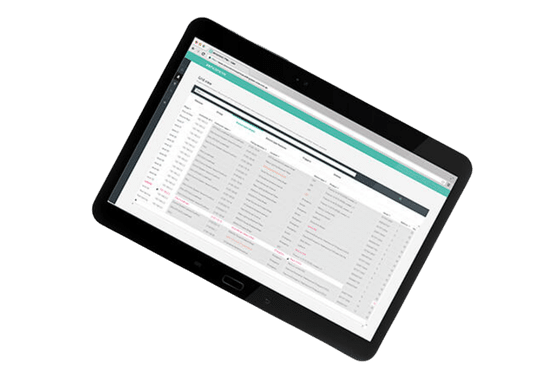
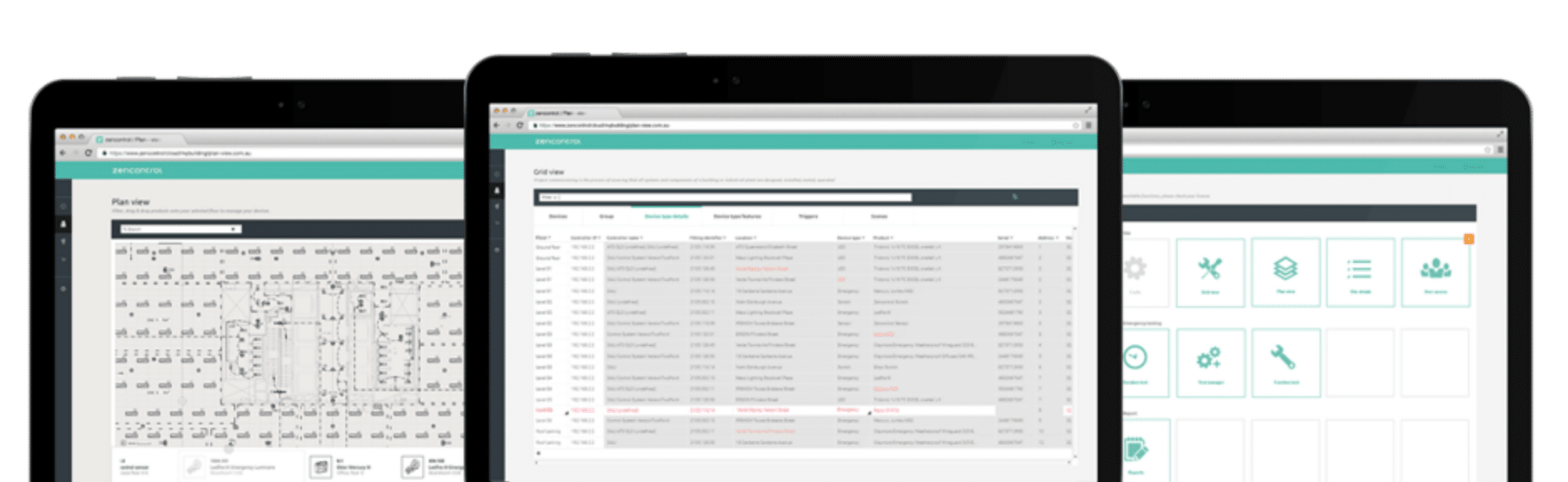
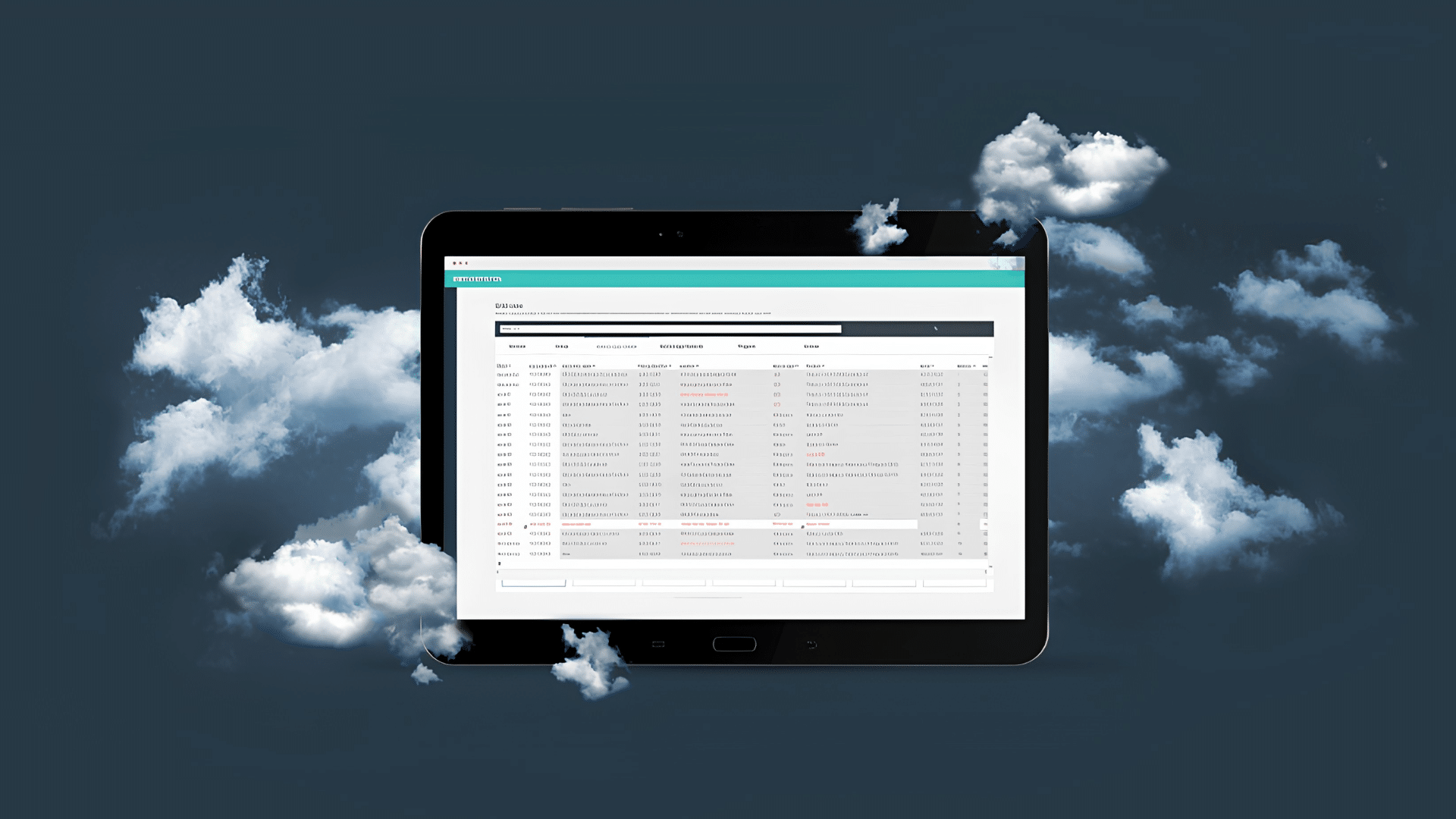
Grid View is a cloud-based, spreadsheet-style interface that allows authorised users to view and manage devices, control systems, locations, settings and assignments across a building or an entire portfolio from one central location.
Rather than navigating through multiple menus or accessing individual systems one by one, users can see the installation in a structured grid.
Think of it as a live operational view of the lighting control system.
Rows can represent individual objects such as DALI drivers, emergency fittings, sensors, switches, control systems or locations. Columns display the relevant properties, configurations and system status associated with those objects.
Users can then search, filter, compare, edit and apply changes across the system using an interface that feels familiar and intuitive.
For commissioning agents, engineers and contractors, this can significantly reduce the time required to configure large systems.
For facility and building managers, it provides far greater visibility over how the system is configured and where attention may be required.
For building owners and senior decision-makers, it provides something equally important: greater governance over increasingly valuable and complex building infrastructure.
Why a Grid Changes The Way Lighting Systems Are Managed
The strength of Grid View lies partly in its simplicity.
Lighting control systems are complex. The interface used to manage them does not need to be.

A spreadsheet-style environment makes it possible to work across large volumes of devices and settings without treating each item as an isolated object.
A user can filter thousands of rows to find a specific device type, location, firmware version or diagnostic condition. Similar rooms can be compared. Settings can be copied between areas. Changes can be applied to multiple devices at once.
This shifts lighting control management away from repetitive, device-by-device configuration towards a more structured and scalable way of working.
For example, imagine a commercial building with multiple floors of meeting rooms.
A change in operating requirements means the occupancy timeout needs to be adjusted across every room.
Traditionally, this could involve working through each area individually. With Grid View, the relevant sensors can be filtered, selected and updated together.
The same principle can be applied to:
- light levels across selected zones;
- sensor behaviour and timings;
- push-button configurations;
- touchscreen layouts;
- schedules and operating hours;
- control profiles and logic;
- device classifications; and
- firmware and system settings.
For a single room, the time saving may be relatively small.
Across 20 floors, multiple buildings or a national portfolio, the difference can be substantial.
How Grid View works
Grid View organises the system into different perspectives based on the task being performed.
Rather than displaying every piece of information at once, users can focus on specific object types and work through the system in a structured way.

Device Types
The device view provides visibility across equipment such as DALI drivers, emergency fittings, relays, Modbus devices and other connected hardware.
Users can sort, filter and group devices according to characteristics such as type, location, classification or diagnostic condition.
This makes it easier to:
- identify devices requiring attention;
- verify that configurations align with project standards;
- compare device characteristics;
- review firmware versions; and
- make controlled changes across multiple devices.
For maintenance teams, this can provide a much faster route to the information that matters.
Instead of searching physically through a building or working through devices one at a time, the system can be filtered to isolate a particular fault, product type or area.

Instance Types
Grid View can also be used to manage system inputs, including occupancy sensors, light sensors, switches, push buttons and touchscreens.
This is where the benefits extend beyond device management into user experience.
Control behaviour can be reviewed and standardised across similar spaces. Sensor timings can be adjusted across multiple rooms. Push buttons and touchscreen functions can be configured to provide a consistent experience between floors, buildings or tenancies.
For organisations with workplace standards that need to be replicated across multiple sites, this becomes particularly valuable.
Rather than relying on each site being configured independently, approved settings and behaviours can be applied in a more consistent and controlled way.

Assignments and control logic
Modern lighting control is not simply a collection of devices. The value comes from how those devices interact.
Sensors need to trigger the right behaviour. Switches must control the intended areas. Profiles need to be assigned to the correct systems. Different spaces may need to respond differently according to occupancy, daylight, time schedules or operational requirements.
Grid View provides a structured way to review and manage these relationships.
Profiles and logic can be assigned to selected control systems, new behaviours can be introduced across specific areas, and existing assignments can be reviewed against the original design intent.
For engineers and commissioning teams, this provides a clearer way to manage complex control strategies at scale.
Faster Commissioning. Greater Consistency.
Commissioning is one of the areas where Grid View can deliver the most immediate operational value.

As controllers and devices are brought into the zencontrol cloud, they can be addressed, grouped and configured from the Grid View interface.
Profiles and logic can then be applied across new areas without configuring every device or room individually.
This makes it possible to standardise behaviour between:
- repeated room types;
- multiple floors;
- separate tenancies;
- different buildings; or
- entire groups of sites.
The result is not simply faster commissioning.
It is more consistent commissioning.
That distinction matters.
In large projects, inconsistency can become a long-term operational issue. Two spaces designed to perform in the same way may behave differently because they were commissioned at different times or by different people.
By making it easier to review, compare and replicate settings, Grid View can help maintain a more consistent control strategy across the installation.
Changing The Building Without Always Going Back to Site
Buildings do not remain static after practical completion.
Tenancies change. Teams move. Floor layouts are altered. Operating hours are extended. Energy targets evolve. Occupancy patterns shift.
The lighting control system needs to be able to evolve with the building.
Grid View allows many operational changes to be made remotely through the zencontrol cloud.
A facilities team could, for example:
- adjust occupancy timeouts across selected zones;
- change target light levels;
- reconfigure switches following a workplace change;
- update operating schedules;
- modify profiles to suit new ways of using a space; or
- roll out an approved change across multiple sites.
This can reduce unnecessary site visits and allow the control system to respond more quickly to changing operational needs.
More importantly, it changes the way a lighting system can be managed over its lifecycle.
Instead of treating commissioning as something completed once at the beginning of a project, the system can continue to be reviewed, tuned and optimised as the building changes.
A More Intelligent Approach to Maintenance and Upgrades
The same centralised visibility can also support maintenance teams.
Grid View can be filtered to identify failed devices, equipment approaching the end of its useful life, firmware inconsistencies or other diagnostic conditions that require attention.
This provides a more targeted approach to maintenance.
Teams can focus on specific issues rather than spending time searching for them.
When equipment needs to be replaced, the existing configuration and system history can also be preserved, reducing the risk of losing valuable information during the replacement process.
For larger facilities and portfolios, this creates a stronger foundation for asset management and lifecycle planning.
Maintenance teams can understand what is installed, where it is located, how it is configured and what requires attention – all from the same environment.
Powerful Tools Need Strong Governance
The ability to make changes across hundreds or thousands of devices creates obvious efficiencies.
It also creates risk if access is not properly controlled.
This is one of the most important aspects of Grid View.
The platform combines the speed of large-scale configuration with individual user accounts, role-based permissions, site ownership and tenancy controls.
There are no shared user logins.

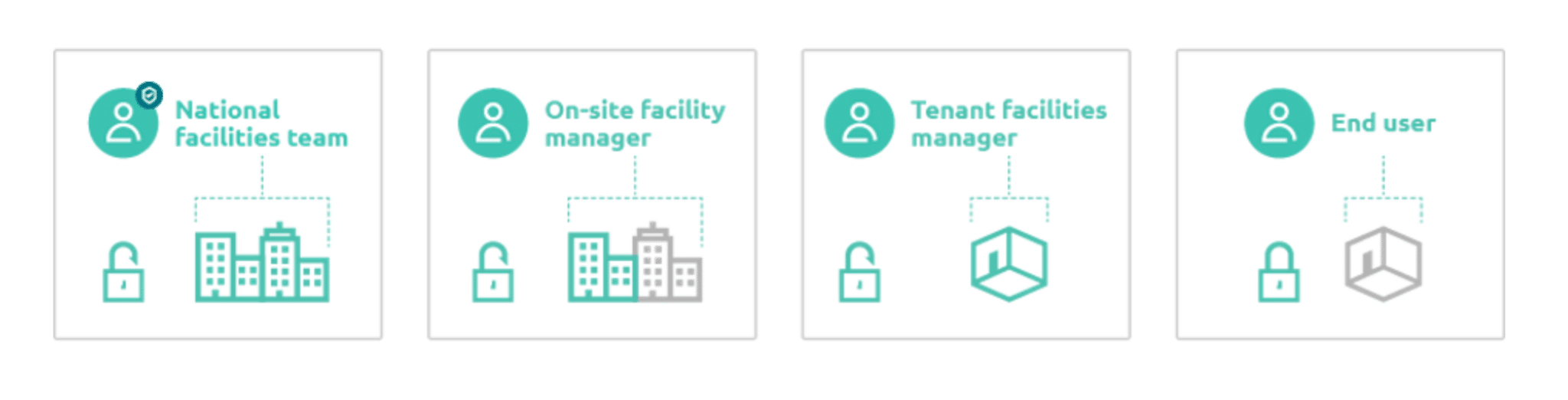
Each person accesses the platform through their own zencontrol account, allowing permissions to be assigned according to their responsibilities.
A site owner may require broad access across the entire building. A contractor may only need access to selected control systems. A tenant may be restricted to their own leased area, even though the underlying infrastructure is shared with the rest of the building.
The interface itself can also be restricted.
A national facilities team, for example, may require full access to Grid View across multiple sites. A local tenancy may only need access to simpler tools for viewing or controlling its own area.
This follows a least-privilege approach: users are given the access required to perform their role, but no more.
When responsibilities change or when a contractor leaves a project – access can be amended or removed without affecting other users.
For building owners, facilities teams and IT departments, this is a critical part of bringing lighting infrastructure into a modern governance framework.
Knowing Who Changed What – and When
Control is not just about restricting access.
It is also about accountability.
Changes made through Grid View are associated with individual users and recorded through field history and audit logs.
This provides a traceable record of:
- who made the change;
- what was changed;
- when it occurred; and
- which devices or locations were affected.
For general building operations, this makes troubleshooting significantly easier.
For compliance-driven facilities and emergency systems, it becomes even more important.
When changes can influence system performance or safety outcomes, being able to trace a configuration back to an individual action provides a much stronger level of operational assurance than shared passwords and undocumented site changes.
Cloud Control Without Creating a Single Point of Failure
One of the understandable concerns around cloud-based building technology is what happens when the cloud connection is unavailable.
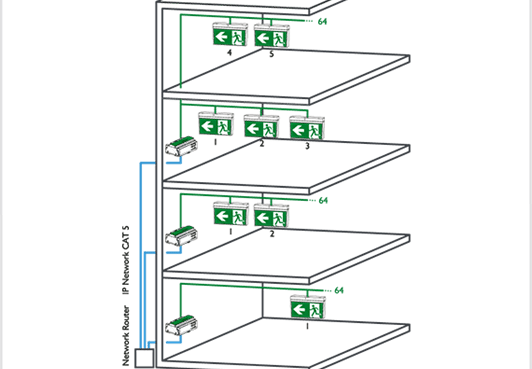
Grid View operates on top of zencontrol’s distributed, IP-based architecture.
The control logic and configuration required to operate the building are held within the DALI application controllers. The building therefore continues to operate independently if the internet connection or the cloud interface itself is unavailable.
Grid View provides a faster and more powerful way to read, manage and update that configuration when the system is connected.
This distinction is important.
The cloud enhances the way the lighting system is commissioned, managed and maintained. It does not become a single point of failure for the operation of the building.
For building owners and technical teams, this provides the convenience of centralised cloud management without sacrificing local system resilience.
Security and Site Ownership Are Part of the System Design
As operational technology becomes increasingly connected, lighting control can no longer sit outside an organisation’s wider approach to cybersecurity and governance.
Grid View operates within the security framework of the zencontrol platform, including individual user authentication, access controls, multi-factor authentication, encrypted communications and traceable system activity.
Site ownership is also clearly defined.
Access to an existing site must be authorised by the current site owner, helping ensure that control of building systems cannot simply be assumed by a new user or contractor.
This becomes increasingly relevant when buildings are sold, facilities contracts change or new service providers are appointed.
For IT and security teams, the significance is clear: lighting control can be managed as part of the organisation’s wider technology environment rather than remaining an isolated legacy system with unclear access and ownership.
Grid View is One Part of a Bigger Picture
Grid View is not intended to replace every other way of interacting with a lighting system.
It works alongside the wider suite of tools available through the zencontrol platform.
Plan View provides a visual representation of the building, allowing users to interact with devices and system information spatially.
Analytics helps building teams understand operational performance, occupancy, energy consumption and system behaviour.
Emergency testing and reporting support the management of monitored emergency lighting systems.
Grid View provides the structured, detailed workspace for commissioning, configuration and large-scale system management.
Each serves a different purpose.
Together, they create a more complete way to design, operate, maintain and optimise modern lighting infrastructure.
Why Grid View Matters
The real value of Grid View is not that it puts a lighting system into a spreadsheet.
It is that it makes complex infrastructure more manageable.
For engineers and contractors, that means faster commissioning and more efficient configuration.
For facility managers, it means better visibility and the ability to make operational changes without always returning to site.
For maintenance teams, it means faster diagnosis and a more structured approach to asset management.
For building owners and senior leaders, it means greater consistency, accountability and governance across systems that are becoming increasingly connected and business-critical.
And for organisations managing multiple buildings, it creates something that has historically been difficult to achieve in lighting control: the ability to manage change at scale.
As buildings become smarter, the challenge will not simply be connecting more devices.
The real challenge will be managing them effectively throughout the life of the building.
Grid View Provides a Practical Way To Do Exactly That.
At Intelligent Environments, we design, commission and support modern lighting control systems using the zencontrol platform, from individual buildings through to complex multi-site environments.
Talk to our team about how Grid View, Plan View, analytics and cloud-based system management could support the design, operation and ongoing performance of your building.